
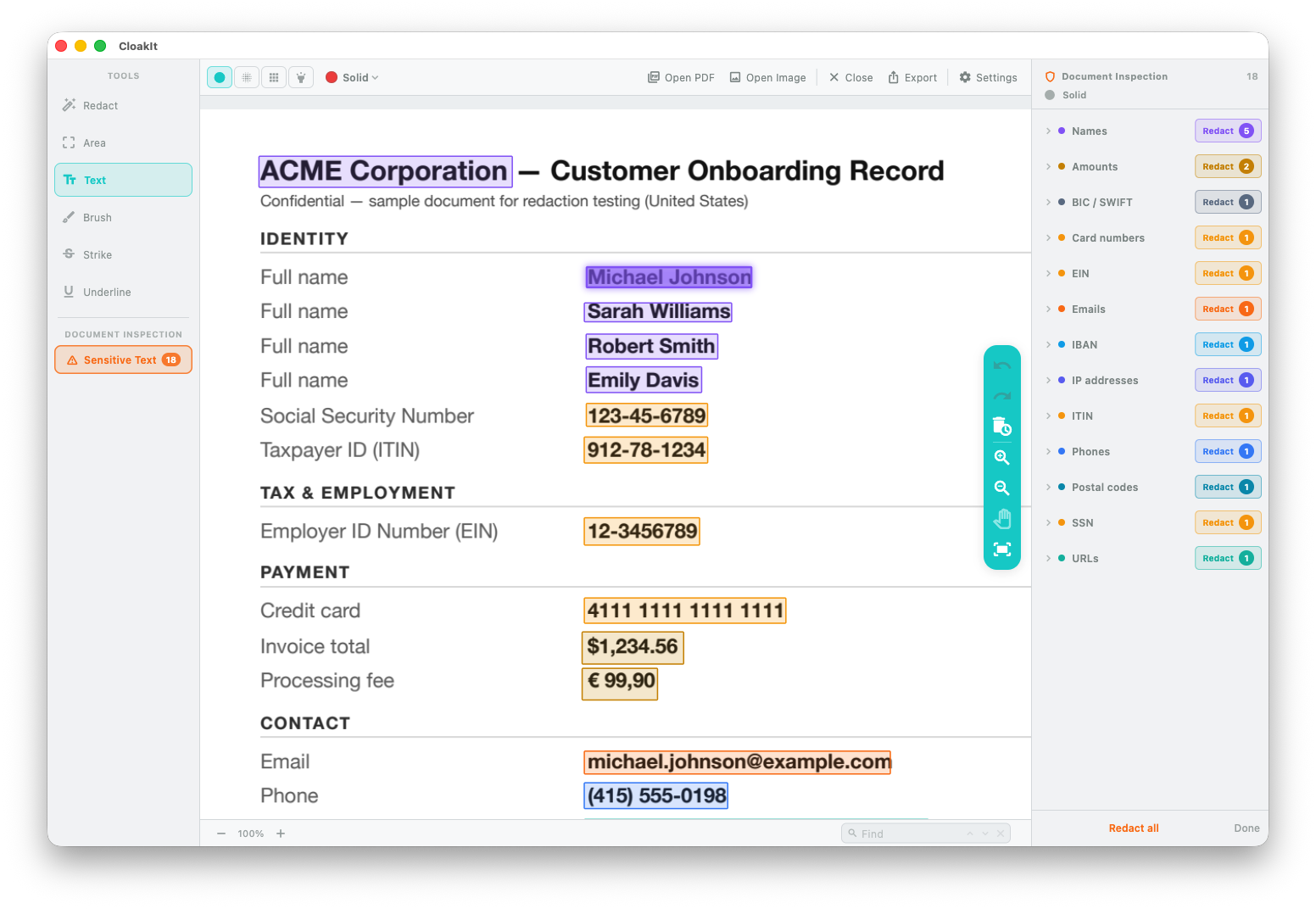
Sensitive data, found automatically
SSNs, emails, phone numbers and card numbers are detected and listed, ready to hide with one click.
Detect sensitive data locally and protect it in a few clicks. Fully offline — nothing leaves your device.
Available now for Mac, iPhone, and Android.
Permanently remove the parts you select while keeping the rest of your PDF searchable and selectable.
Built for Mac
Cloakit finds sensitive data locally on your Mac. You review what will be redacted and decide what to protect.
SSNs, emails, phone numbers and card numbers are detected and listed, ready to hide with one click.
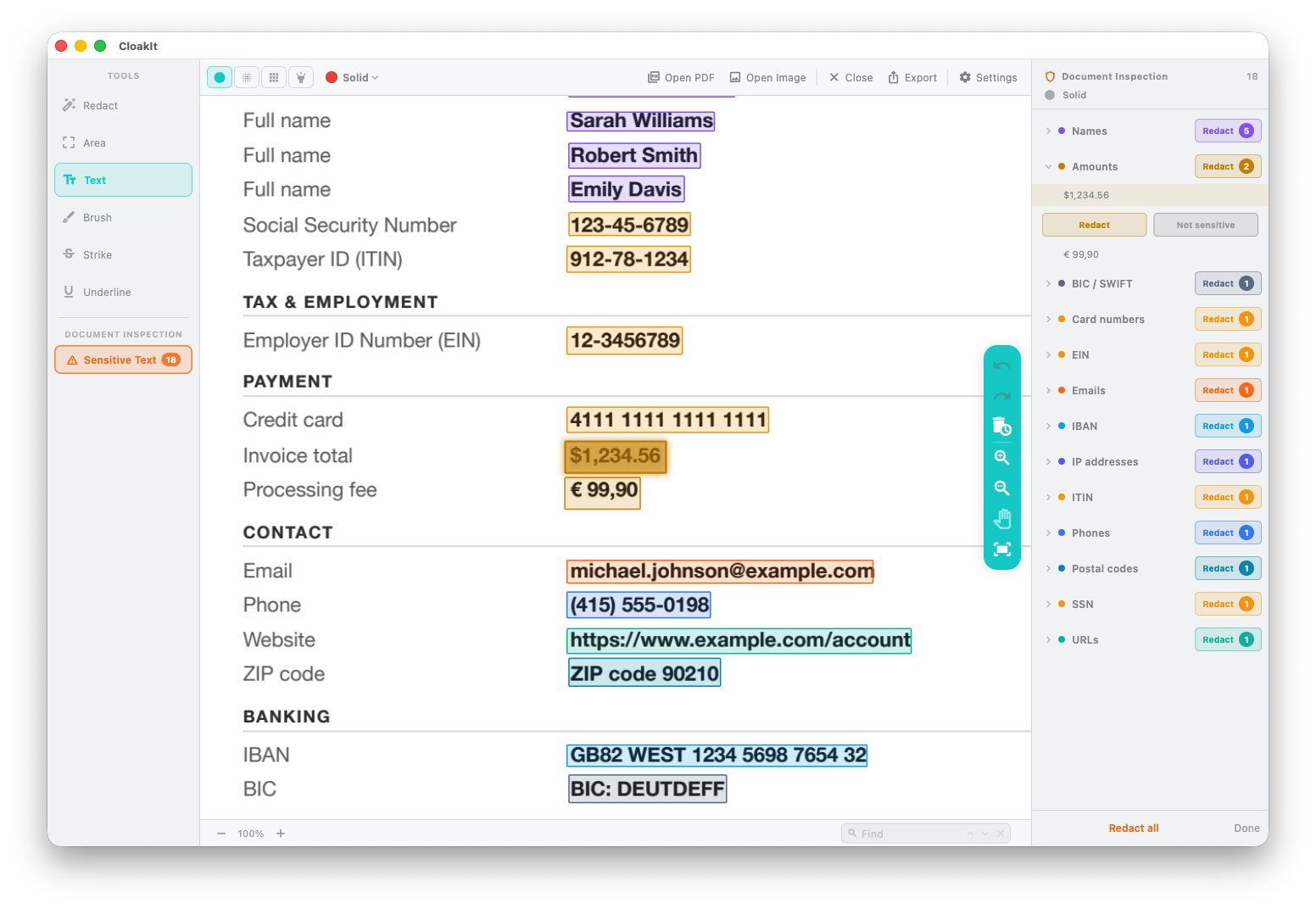
Detected data is listed for you to review before applying protection.
Real app screenshots, running on macOS.
OCR, face detection, and sensitive-data detection all run locally on your Mac — nothing is sent to a server.
See it in action
Watch CloakIt detect the sensitive fields, redact them, and prove that the original value can’t be found in the exported PDF.
Tools & markup
Whether it needs to be gone, unreadable or just flagged — pick the tool and the style.

Select any text and redact it — no guessing pixel coordinates.
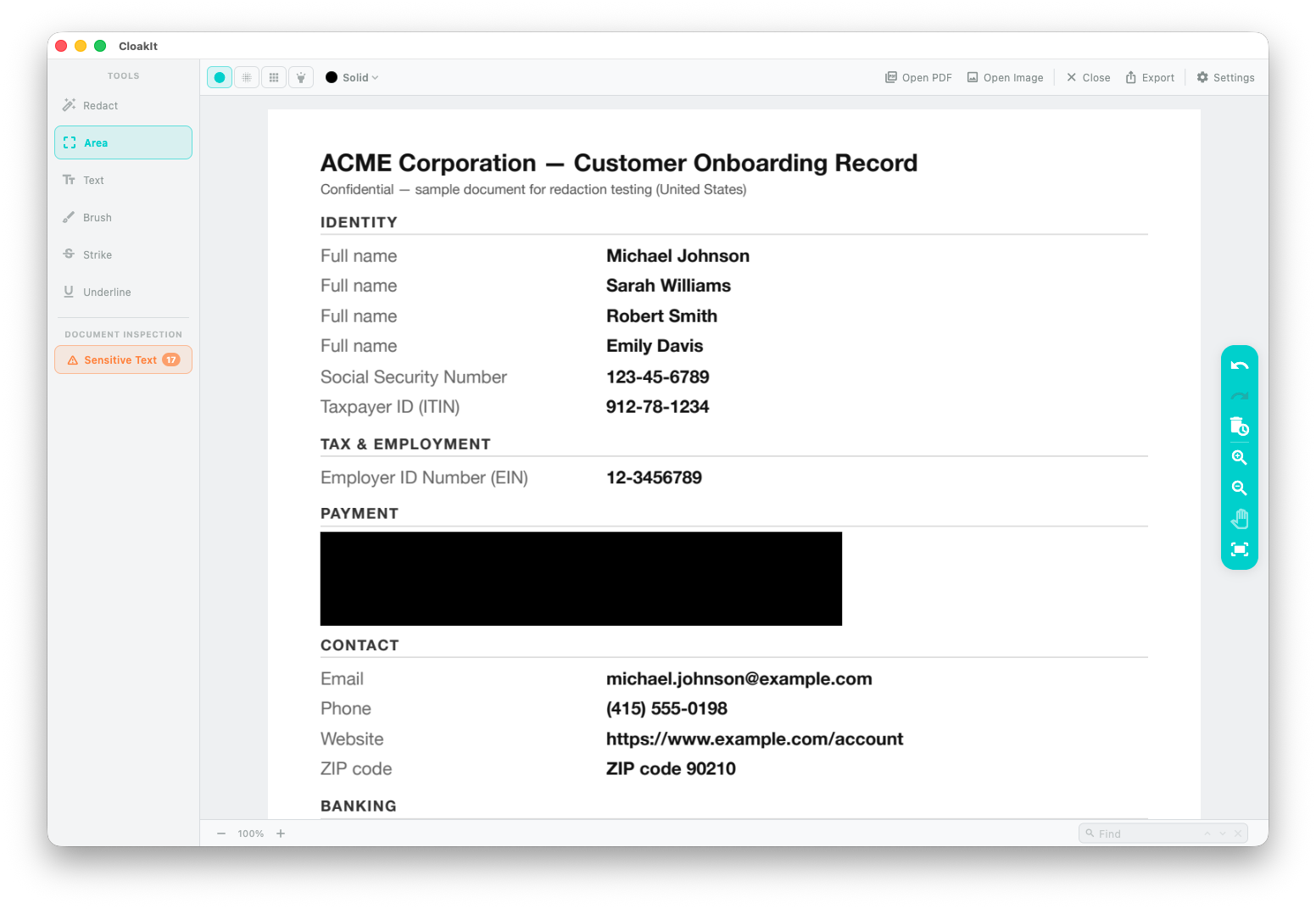
Drag a rectangle over any region and cover it in one pass.
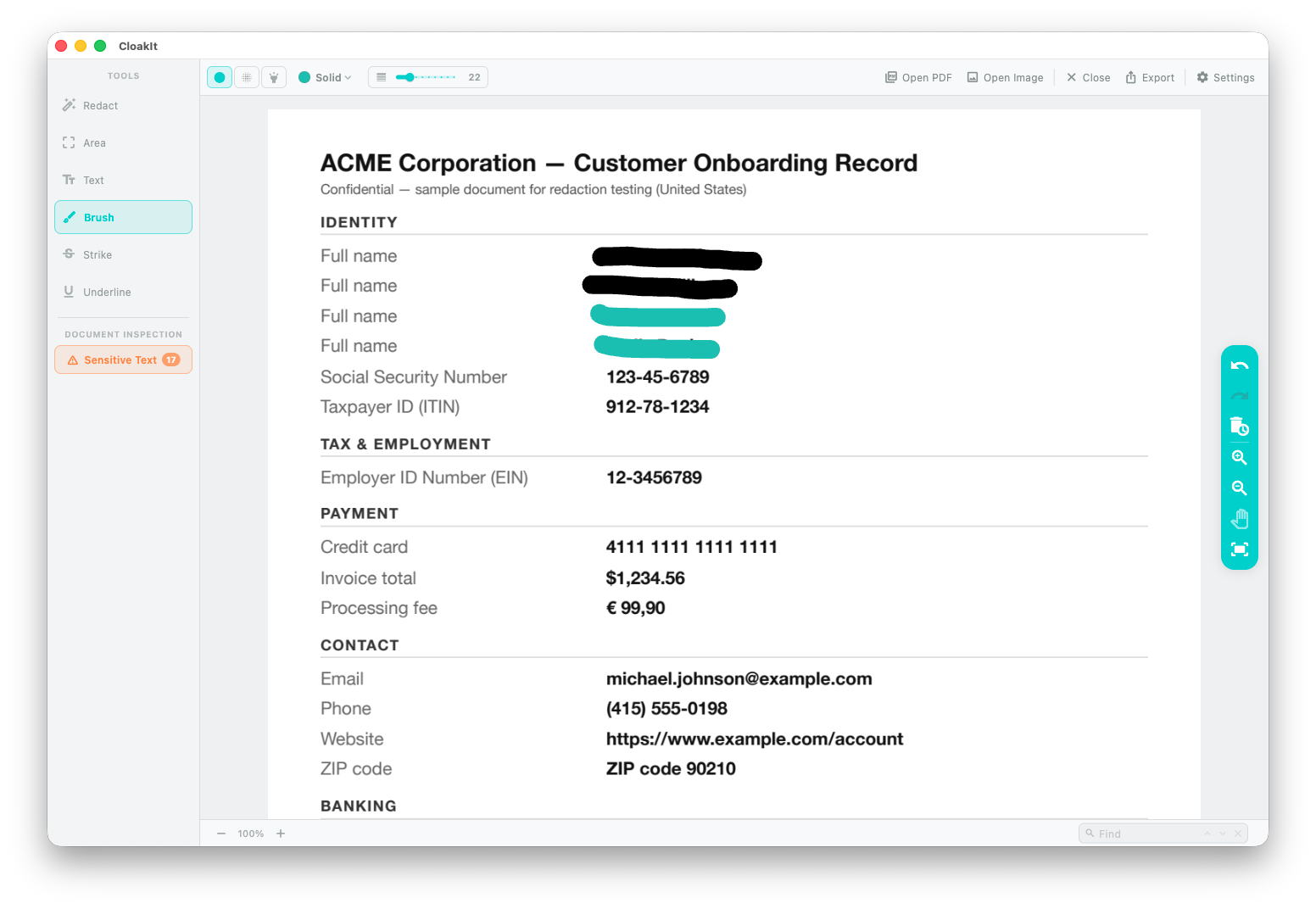
Paint over anything, with an adjustable brush size.
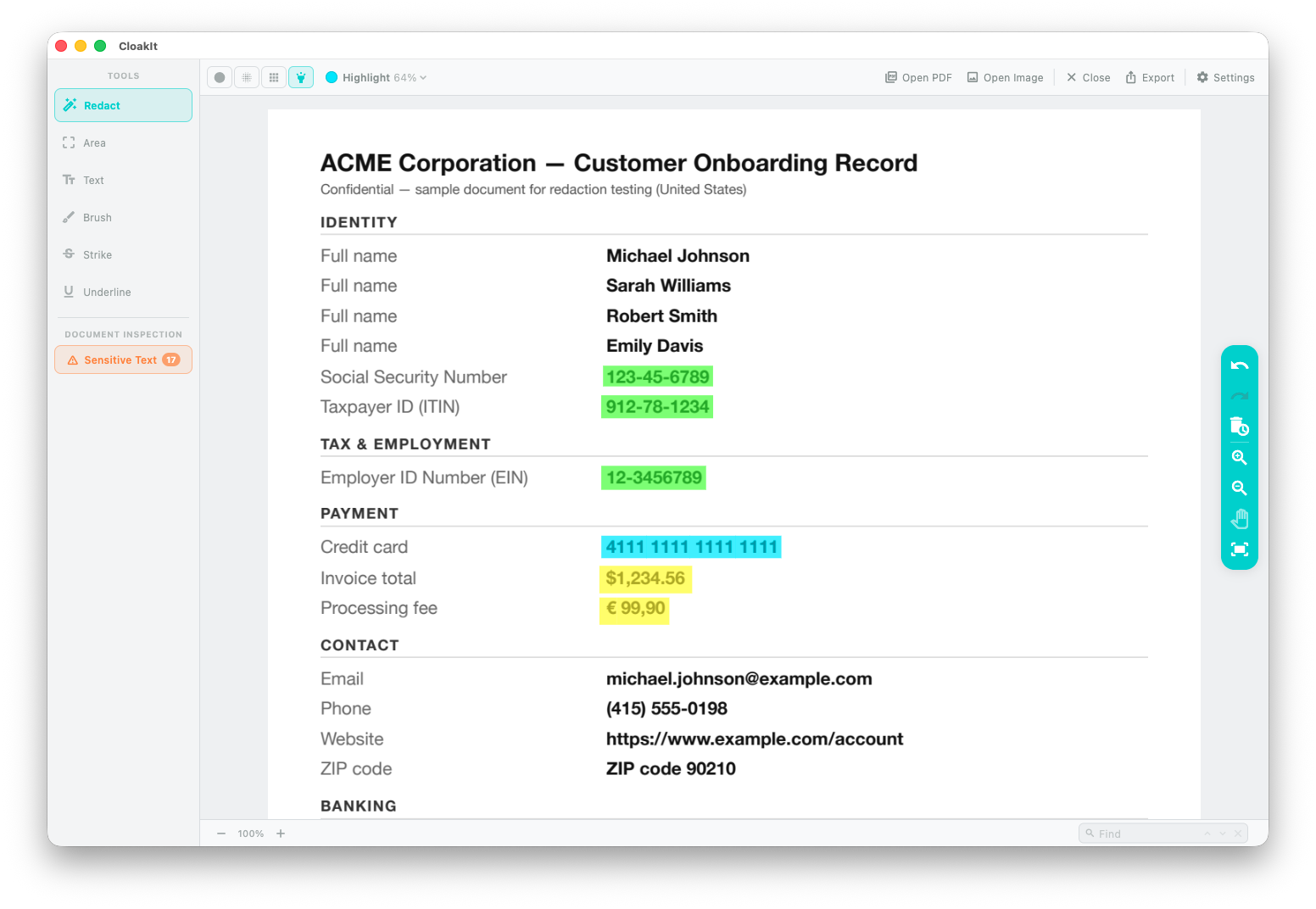
Mark in color — the text stays readable and searchable.
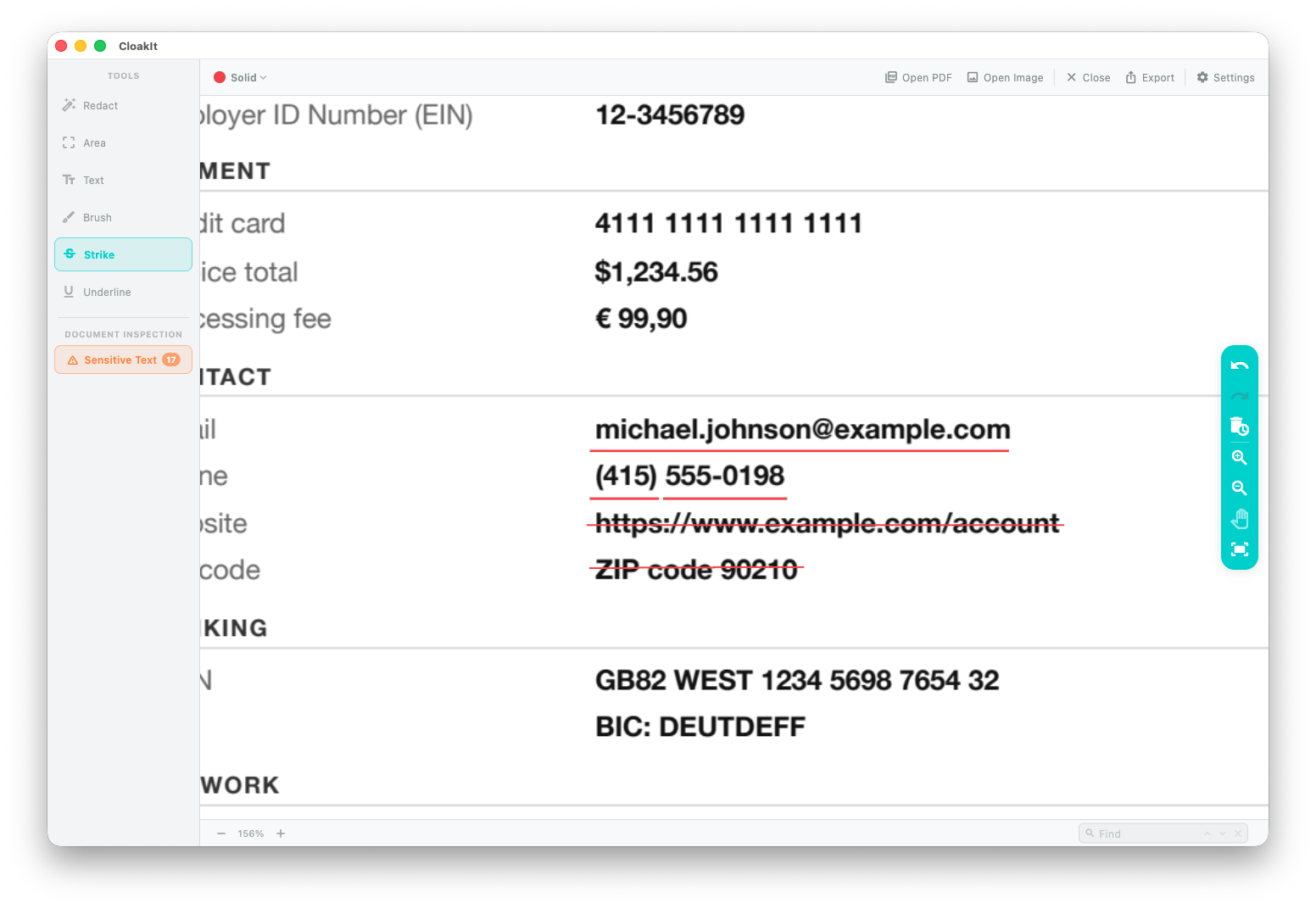
Annotate with underline or strikethrough — non-destructive markup.
Why CloakIt
Not a black box painted over the text — the data is removed, everywhere, on your Mac.
The text is stripped from the file. Search the exported PDF for the original value and it’s gone.
Only the parts you redact are removed — the rest of the document stays searchable and selectable.
Highlight, underline and strike export as genuine PDF annotations — not flattened pixels. The text stays selectable and searchable.
The same name or number repeated across pages? Hide every match with one click.
SSN, EIN and ITIN (US), CPF (Brazil), CUIL (Argentina), RUT (Chile), CURP (Mexico), DNI/NIE (Spain) and more — turn on just the regions you need.
Add your own names and terms to the on-device detector.
Images & photos
Open any image and CloakIt finds every face. Hide only the ones you choose — the rest stays sharp.
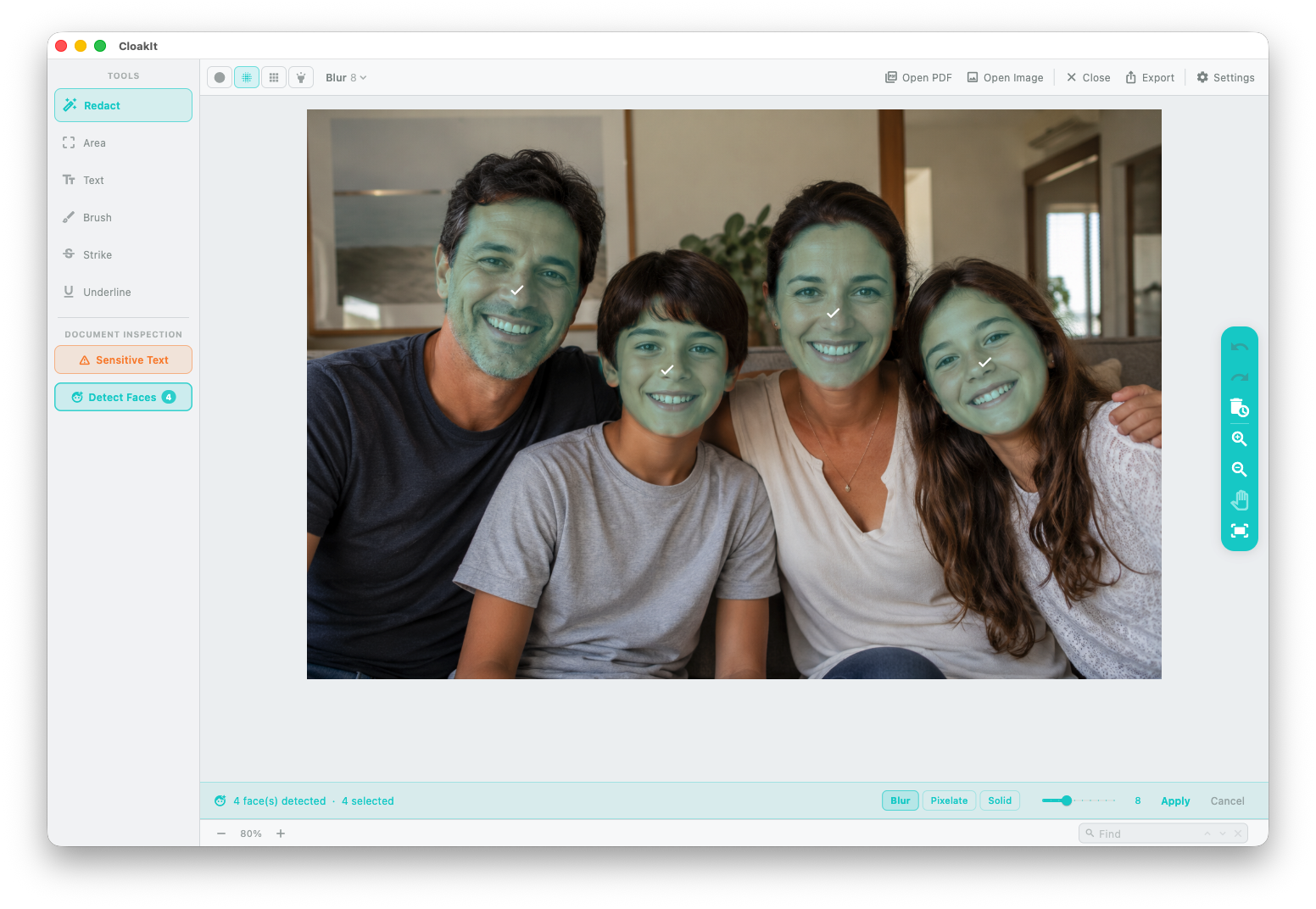
Open a photo and each face is outlined and selected for you.
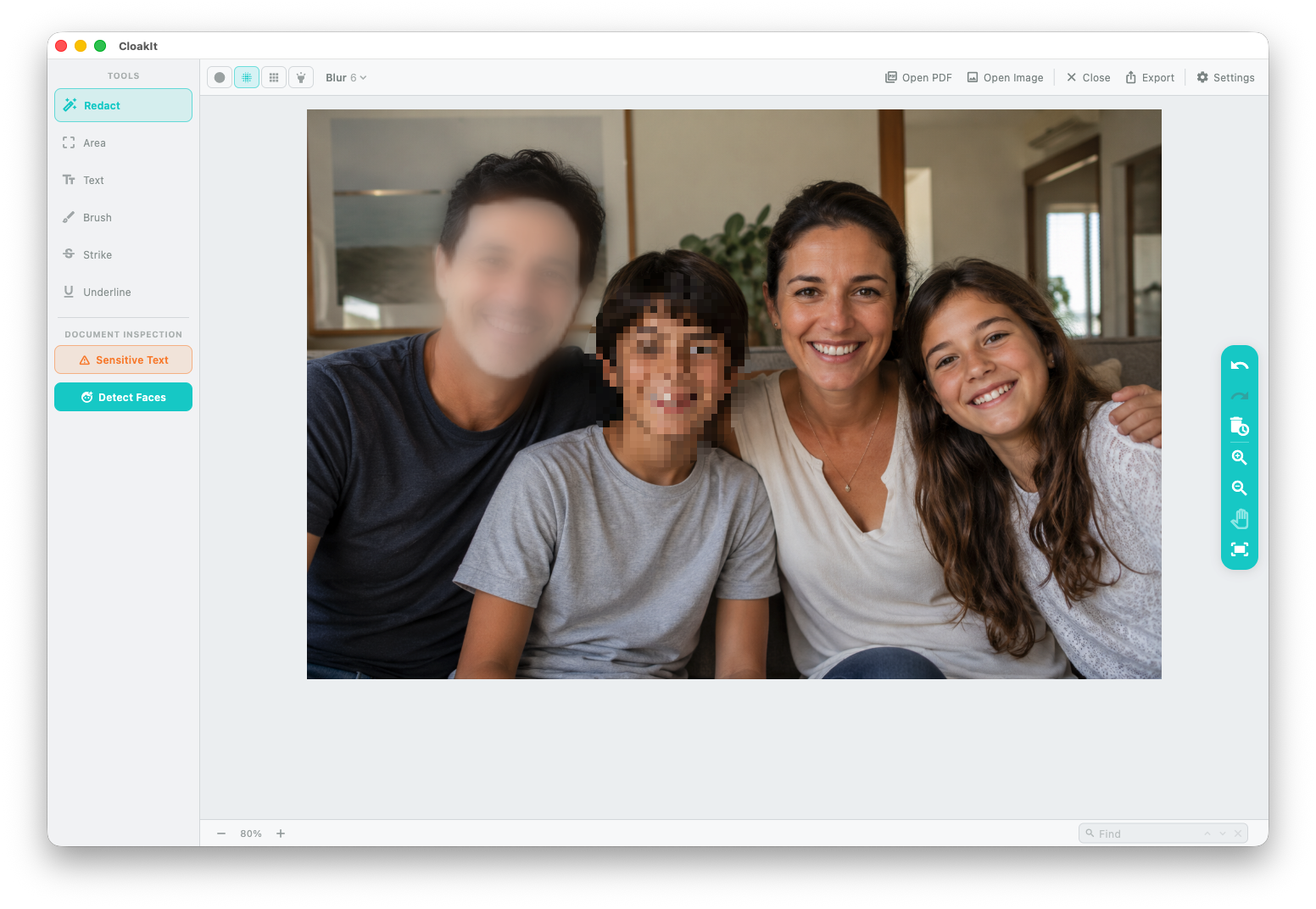
Hide the faces you pick — everyone and everything else stays sharp.